


AI Art, Image & Logo Generator
4.1613.00 Reviews
App Specs
- Version
- 1.1.7
- Updated On
- License
- Free
- Downloads
- 500,000+
- Developer
- Codespace Dijital
- Categories
- Art & Design
- Platform
- Android, iOS
Screenshots
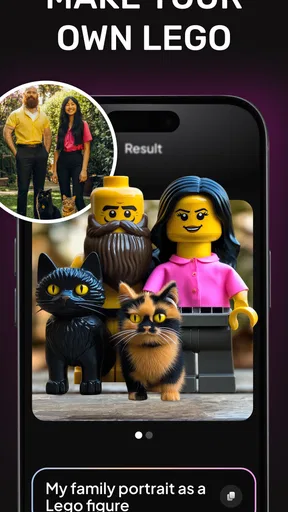
 Analysis by AppCompare
Ever found yourself in need of a creative boost or looking to design something unique without breaking a sweat? Well, let me introduce you to the AI Art, Image & Logo Generator. I've been playing around with this nifty app for a while now, and I've got some thoughts to share.
Getting Started with Creativity
The first thing you'll notice about the AI Art, Image & Logo Generator is how incredibly user-friendly it is. Seriously, you don't need to be a tech wizard to navigate through it. The interface is clean and intuitive, making it super easy to dive right into creating your masterpiece.
Once you open the app, you're greeted with a simple menu offering different options like creating art, designing images, or crafting a logo. It’s like having a mini design studio right in your pocket. Just a few taps and you’re ready to unleash your creativity.
Features That Stand Out
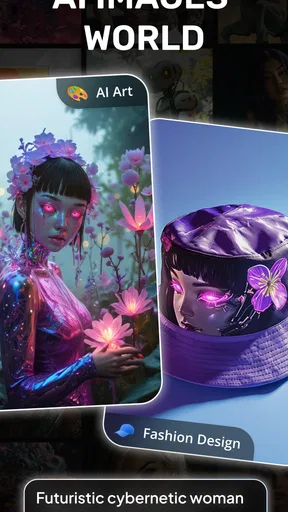
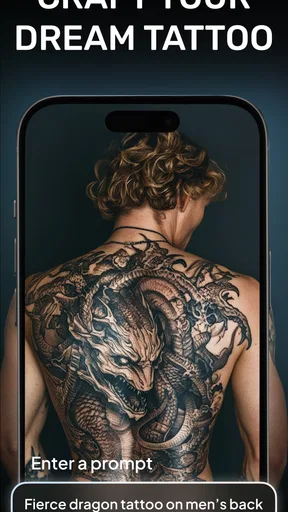
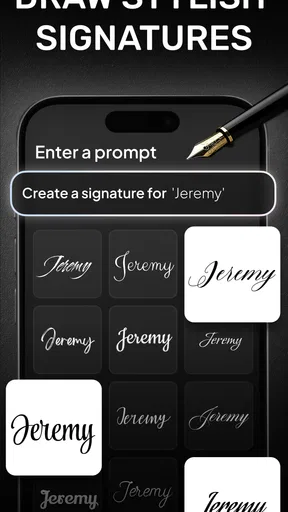
Let's talk about some of the standout features here. The app uses cutting-edge AI to help generate art and logos that look like they came out of a professional studio. You can choose from a variety of styles, ranging from classic to modern, and let the AI work its magic. This flexibility means you're not stuck with a one-size-fits-all solution.
The image generation tool is particularly impressive. You can input text prompts, and the AI will create visuals based on your description. It’s like having an artist on call 24/7. Need a vibrant sunset over a bustling cityscape? Just type it in, and voilà, you’ve got yourself a stunning image.
Logos Made Easy
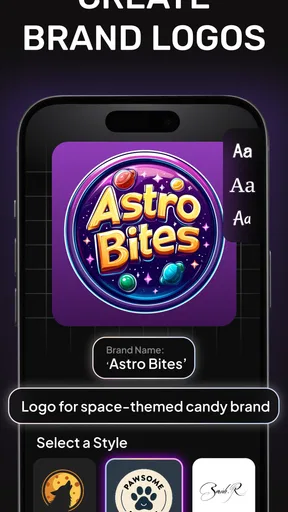
If you’re a budding entrepreneur or just someone looking to refresh your brand, the logo creation feature is a godsend. You can easily experiment with different fonts, colors, and symbols to create a logo that truly represents your brand. The AI even suggests design tweaks to ensure your logo is eye-catching and professional.
I found it particularly helpful that the app provides suggestions for complementary color schemes and font pairings. It’s these little touches that make a big difference, especially for those of us who might not have a background in design.
Worth Reading Before You Choose

EA SPORTS FC Mobile 26 Is a Bigger Football Game, but It Takes Time

Flipboard Shows What News Apps Must Do Beyond the Feed

Switching to Android Auto Means Rethinking Your Driving Routine

Google Calendar Makes a Crowded Week Easier to Manage

Ludo King Makes the Most of the Minutes Between Plans

Baby Panda World Brings Quick Play to Modern Phones, but Its Game Library Feels Busy
Performance and Usability
Now, let’s talk performance. The app runs smoothly on both Android and iOS, with no noticeable lag or crashes during my time using it. The developers clearly put a lot of effort into making sure the app is stable and responsive, which is always a plus in my book.
One thing I really appreciate is the ability to save and export projects in different file formats. Whether you need a JPEG, PNG, or even a vector file, the app has you covered. This versatility means you can use your creations anywhere, from social media to print.
Room for Improvement?
No app is perfect, and while the AI Art, Image & Logo Generator is pretty awesome, there are a couple of areas where it could improve. For instance, while the AI-generated art is impressive, sometimes it misses the mark with more complex prompts. But hey, that’s the nature of AI—it’s constantly learning and evolving.
Also, I wouldn’t mind seeing more in-depth tutorials or guides for beginners. The app is easy to use, but a bit more guidance could help users fully tap into its potential.
Final Thoughts
Overall, the AI Art, Image & Logo Generator is a fantastic tool for anyone looking to dabble in design, whether it’s for fun or business. It combines ease of use with powerful features that can help bring your creative visions to life. If you’re tired of generic templates and want something that feels more personalized, give this app a shot.
So, if you’re ready to embark on a creative journey, why not download the app and see what you can create? It might just surprise you how much fun you’ll have—and who knows, you might even discover a hidden talent for design.
Pros
- Generates high-quality images quickly.
- User-friendly interface for easy navigation.
- Wide range of styles and templates.
- Supports multiple file formats for export.
- Offers customization options for designs.
Cons
- Requires a stable internet connection.
- Some features locked behind a paywall.
- Occasional slow loading times.
- Limited free trial period available.
- Lacks advanced editing tools.
FAQs for AI Art, Image & Logo Generator
What platforms is the AI Art, Image & Logo Generator available on?
The AI Art, Image & Logo Generator is available for both Android and iOS devices. Users can download the app from the Google Play Store or the Apple App Store, ensuring compatibility with most smartphones and tablets. Additionally, the app supports a wide range of operating system versions, making it accessible to a vast audience.
How easy is it to use the AI Art, Image & Logo Generator for beginners?
The app is designed with user-friendliness in mind, featuring an intuitive interface that simplifies the creation process for beginners. It includes step-by-step guides and tutorials, allowing users to generate art, images, and logos effortlessly, even without prior design experience. The app also offers templates and presets to streamline the process.
Does the AI Art, Image & Logo Generator offer customization options?
Yes, the app provides extensive customization options, allowing users to tweak colors, styles, and layouts. Users can also upload their own images or logos to modify, ensuring that the final product aligns perfectly with their vision. Advanced options are available for those looking to delve deeper into design customization.
Is an internet connection required to use the AI Art, Image & Logo Generator?
While an internet connection is required for initial downloads and updates, the app offers offline functionality for most of its features. Users can create and save projects without an active internet connection, though some advanced features, such as cloud storage and online templates, may require connectivity.
Are there any costs associated with using the AI Art, Image & Logo Generator?
The app is free to download, with basic features available at no cost. However, it offers in-app purchases and subscription options for access to premium features, such as advanced design tools and exclusive templates. These options provide additional value for users seeking a more sophisticated design experience.


